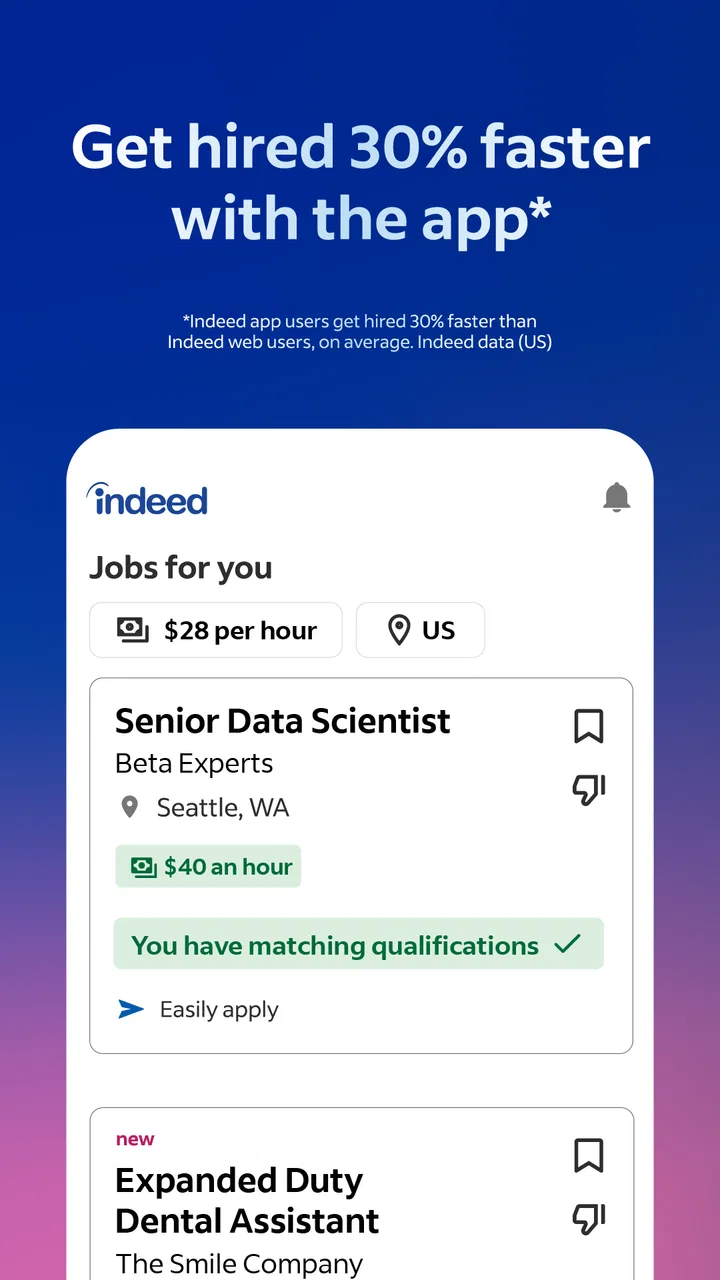
Indeed Job Search
- 4.7
- Rating
- 100.00M
- Installs
- Free
- Price

 Analysis by App-foxy
Finding a job can feel like a second job, especially when you are checking several company pages, saving links in different places, and trying to remember which application you already sent. I found Indeed Job Search most useful as a single starting point for that routine. It is a free business app from Indeed Jobs, built around searching for open positions and moving from a promising result to an application without making the process feel unnecessarily scattered.
My first impression was that it is aimed at people who want practical progress rather than career theory. You open it with a specific goal in mind, such as finding evening work, changing industries, or locating a position near home. The app then becomes a working list of possibilities. It does not remove the difficult parts of job hunting, but it can make the repetitive parts easier to organize.
From installation to a useful job search
I’ll focus on the first stretch of using the app: turning an employment goal into a search that produces a manageable shortlist, rather than an endless feed of possibilities. I’ll also point out the small decisions that help a new user move from browsing to a considered next step.
In-Depth Coverage of Indeed Job Search
What to expect before you begin
Indeed Job Search is not a course, a recruiter, or a guarantee of employment. I would treat it as a search and application workspace. Its value depends heavily on how clearly you define what you want and how carefully you read each listing. If you search with a vague phrase and accept every result, the experience can quickly become noisy. If you use a realistic job title, location, and schedule preference, the results become much more manageable.
The app is available at no cost and carries an Everyone age rating, which makes it approachable for a wide range of job seekers. It has also reached over 100 million installs and holds a 4.7 average from around 11 million ratings, so it is clearly not a niche tool used only by a small professional group. Those figures suggest a broad audience, but they should not be confused with a promise that every listing will suit your situation.
I especially like the app for an early stage of a search: discovering employers and roles that I might not have found by visiting company websites one by one. It is also useful when I know the type of work I want but not the exact employer. That makes it a better fit for exploration than for someone who has already chosen one company and only needs that company’s application portal.
There is a trade-off. A large job marketplace can expose you to more possibilities, but it also requires more filtering and judgment. Some listings may look similar while having important differences in hours, duties, location, or application method. I would never apply automatically just because a title sounds right. The app helps me find options; I still decide whether those options are credible and suitable.
Setting up a search without overcomplicating it
For a first search, I recommend starting with one job title that matches your actual experience. “Customer service representative” is more useful than a broad phrase such as “office work” if that is the kind of role you want. You can run a second search later for a related title. This small change reduces the temptation to judge an enormous mixed list all at once.
Location deserves the same care. I would begin with the place where I can genuinely work, then adjust the distance or area only if the initial results are too limited. A wide search can be helpful for remote possibilities or a planned move, but it can also fill the screen with jobs that are impractical once commuting time and expenses are considered.
One of the most useful habits is to separate discovery from decision-making. During the first pass, I save or note interesting positions instead of opening every result repeatedly. During the second pass, I compare the details: required experience, schedule, pay information when shown, workplace location, and the actual application route. This two-stage workflow keeps an attractive title from receiving more attention than it deserves.
Before applying, I would also make sure the profile and resume information represent the kind of work I am seeking. A generic resume can be acceptable for exploring, but it is less effective when several roles ask for different strengths. For example, a resume focused on retail tasks should not be the only version used for an administrative position if the relevant office experience is buried or missing.
The current version is 260.1, and the app supports Android 7.0 or later. That makes it suitable for many older Android phones as well as newer devices. Still, people using an older phone should expect the overall experience to depend on the device and operating system. I would keep the app updated when possible, particularly if searching is part of a daily routine.
Reaching the first meaningful result
A successful first session is not necessarily submitting an application within a few minutes. For me, success means finding one realistic opening, understanding what it asks for, and deciding on a sensible next action. That might be saving the listing, preparing a tailored resume, or applying immediately if the fit is strong.
When I open a result, I read beyond the job title. The description can reveal whether the role is genuinely entry-level, whether the schedule matches my availability, and whether the duties are different from what the title suggests. I pay particular attention to requirements that would eliminate me before spending time on an application. This habit is more valuable than simply collecting a long list of saved jobs.
A practical everyday example would be someone who works during the day and wants an evening position. I would search for a specific role, narrow the location to a manageable area, and inspect the schedule details before saving anything. After reviewing several results, I would keep only the ones that fit the commute and availability. The app has then done its job: it has turned a broad goal into a short, usable list.
You May Also Like

 AccuWeather: Weather Radar
AccuWeather Review: A Quick, Clear Forecast for Everyday Decisions
For everyday plans, the best forecast is the one you can understand quickly. AccuWeather makes rain timing, radar, and local conditions easy to act on, with a few trade-offs.

 Hill Climb Racing
Why Hill Climb Racing Still Turns Crashes Into One More Run
A tiny car, a bumpy hill and one more upgrade: Hill Climb Racing keeps resurfacing because its simple chaos makes every near-miss feel personal.

 AliExpress - Shopping App
AliExpress Makes Global Shopping Feel Personal, but Shoppers Bear the Risk
AliExpress turns a global marketplace into a pocket-sized discovery engine. Its reach is useful, its shopping loop compelling, and its trade-offs easy to miss.

 Lords Mobile: Kingdom Wars
Lords Mobile Is a Kingdom-Building Routine, Not a Quick Match
A case-by-case verdict on the building, battles, device demands, and social commitments that make Lords Mobile rewarding for some players and exhausting for others.

 PDF Scanner app - TapScanner
TapScanner Makes Paperwork Easier to Capture, Check, and Share
TapScanner makes scanning with a phone feel less like a rescue operation and more like a dependable step in getting work done. Its capture tools are useful, though not flawless.

 Block Blast!
Block Blast! Shows How Much a Puzzle Game Can Leave Out
A quiet grid game shows why puzzle players increasingly value instant clarity, repeatable skill and low-pressure play—and where the genre still needs to catch up.
More From Our News Desk
View All News


Another useful approach is to search in stages rather than trying to describe everything in one query. I might begin with a familiar title, then try a nearby title that uses different wording. Employers do not always describe similar work in the same way. Comparing these searches can uncover opportunities that a single phrase misses, while still keeping the process controlled.
I also recommend recording why each saved job interested you. A short personal note such as “matches weekend availability” or “uses current customer support experience” makes later review much easier. Without that reminder, saved listings can blur together, and I may forget what initially made one worth considering.
Small details that prevent common mistakes
One point that can confuse new users is the difference between discovering a job in the app and completing the employer’s application process. A listing may guide you through a straightforward application flow, while another may send you to an external employer site or ask for additional steps. I would check where the application is going before entering information, then follow the instructions carefully rather than assuming every listing works the same way.
Another source of confusion is the relationship between a resume and a profile. They are related, but I would not assume that updating one automatically makes every part of the other perfect. After making changes, I would review the information that will actually be presented for an application. A small outdated detail, such as an old location or unavailable schedule, can create an avoidable problem.
Search results can also feel repetitive. That does not always mean every result is identical, but several employers may be hiring for similar duties or the same type of shift. I compare the full descriptions instead of judging by title alone. This is where patience matters: the best choice may be lower in the list because it uses less familiar wording.
Notifications and saved searches can be helpful, but I would keep them focused. Too many alerts can turn a useful tool into a stream of distractions. I prefer a small number of searches based on roles I would actually accept. When an alert arrives, I can review it promptly without sorting through unrelated positions.
There is also a human judgment issue that no job-search app can solve. A polished listing is not automatically a good opportunity. I look for clear duties, a sensible application process, and information that matches the role. If something feels inconsistent or pressures me to act without understanding the job, I slow down and investigate before continuing.
How it compares with other ways to look for work
Compared with searching individual company websites, Indeed Job Search is more convenient for discovering several employers in one place. I do not have to remember every company that might be hiring, and I can begin with a role instead of a brand. The downside is that company websites may provide a more direct view of that employer’s culture, hiring process, and other openings.
Compared with professional networking platforms, this app feels more focused on active job discovery. Networking services can be better when referrals, contacts, public work history, or industry conversations are central to the search. I would use Indeed when I need to identify available roles, then use other channels when a relationship or referral could improve my chances.
Compared with local classifieds or community groups, the app offers a more structured way to compare positions. Community sources can still be valuable for very local work, informal opportunities, or small employers that do not appear everywhere. The trade-off is that those sources may require more manual checking and more care when evaluating the details.
For someone applying to only one known employer, the company’s own careers page may be the better route. For someone who wants to compare roles across employers, Indeed is usually the more efficient first stop. I would not choose one channel exclusively. A strong search often combines marketplace discovery, direct employer research, and personal contacts.
Who will benefit most from it
I think the app is especially useful for people beginning a search, returning to work, changing fields, or testing whether a different location has realistic opportunities. It can also help someone who needs to apply regularly and wants a repeatable routine rather than a collection of random browser tabs.
It is less suitable for a person who expects the app to write a convincing application, verify every employer, or decide which career path is best. It is also not ideal if your search depends almost entirely on private referrals, highly specialized professional networks, or a single organization’s internal hiring system. In those cases, a direct contact or specialized channel may produce better results.
People with limited time can still use it effectively, but only if they define a stopping point. I might spend one short session finding and saving suitable roles, then return later to apply. That is better than endlessly scrolling. The goal is not to see every possible job; it is to identify the few worth serious attention.
A practical routine after the first application
Once I have applied to one suitable position, I would create a simple follow-up routine. I would keep track of the employer, role, date of application, and any next step shown in the listing. This prevents duplicate applications and makes it easier to remember which version of my resume I used.
For the next search, I would review what worked. Did the results match my location? Were the schedules realistic? Did the descriptions use a different job title than expected? These answers help refine later searches. The app becomes more useful when I treat each search as feedback rather than starting from zero every time.
I would also resist applying to every vaguely related position. A smaller set of thoughtful applications is easier to prepare and monitor than a large batch sent without checking the requirements. Indeed can make it easy to discover many roles, so discipline is important. The convenience should support better decisions, not encourage careless volume.
One advanced but simple tactic is to maintain separate searches for immediate work and longer-term goals. The immediate search can focus on roles that fit current availability and location. The longer-term search can include positions requiring skills I am still developing. Keeping those purposes distinct prevents an attractive future role from distracting me from a job I actually need now.
Another is to revisit saved jobs with fresh eyes before applying. The first time I see a listing, the title may stand out. Later, I can assess whether the duties, schedule, and requirements still make sense. This second look often removes weak matches and leaves a clearer shortlist.
My overall view after using it
Indeed Job Search succeeds because it makes the beginning of a job search less fragmented. I can start with a role, explore employers, compare openings, and move toward an application from one familiar place. Its free price and broad availability make it easy to try, while its large audience explains why it has become such a common employment tool.
That convenience comes with responsibility. I still need to read listings carefully, tailor my information, check where an application leads, and keep my own records. The app is strongest when I use it as an organized search assistant, not as an automatic application machine.
My recommendation is straightforward: install it if you want a broad, practical way to discover jobs and you are willing to make the final judgments yourself. Start with one precise search, save only realistic options, and aim for one well-understood application rather than endless browsing. The most effective approach is focused searching followed by careful human review.
With that mindset, Indeed Job Search can become a dependable part of a wider job-hunting routine. I would pair it with direct research into promising employers and keep expectations realistic. It will not make rejection disappear or replace preparation, but it can give a first-time user a clear path from opening the app to finding a genuine opportunity worth pursuing.
FAQs for Indeed Job Search
01What features does the Indeed Job Search app offer?
The Indeed Job Search app provides a comprehensive platform for job seekers, allowing users to search for jobs by title, company, or location. It also offers features such as job alerts, company reviews, and salary insights. Additionally, users can upload their resumes and apply directly through the app, making the job application process seamless and efficient.
02Is the Indeed Job Search app free to use?
Yes, the Indeed Job Search app is free to download and use. Users can search for jobs, set up alerts, and apply for positions without any cost. However, some additional features or services, such as resume writing assistance, may incur charges. Always check the app for any in-app purchases or optional premium services.
03How do I apply for jobs using the Indeed Job Search app?
Applying for jobs on the Indeed app is straightforward. First, create an account and upload your resume. You can then search for jobs and apply directly through the app by clicking on the job listing and following the application instructions. Some positions allow for a one-click application using your Indeed resume, while others may redirect you to the employer's site.
04Can I receive job alerts from the Indeed Job Search app?
Indeed Job Search allows users to set up job alerts based on their preferences. You can customize alerts by job title, location, and frequency. Once set, the app will notify you of new job postings that match your criteria, helping you stay updated with the latest opportunities without constantly searching the app.
05How secure is my personal information on the Indeed Job Search app?
The Indeed Job Search app prioritizes user privacy and data security. It uses encryption and other security measures to protect your personal information, such as your resume and application details. However, it's always wise to review the app’s privacy policy and ensure you’re comfortable with how your data is used and shared.
Pros
- User-friendly interface for quick navigation.
- Extensive job listings across various industries.
- Real-time alerts for new job postings.
- Resume builder helps create professional profiles.
- Option to apply directly through the app.
Cons
- Occasional duplicate job listings.
- Limited filtering options for job search.
- Some postings lack detailed job descriptions.
- In-app ads can be distracting.
- Requires internet connection for most features.

Indeed Job Search
Gallery